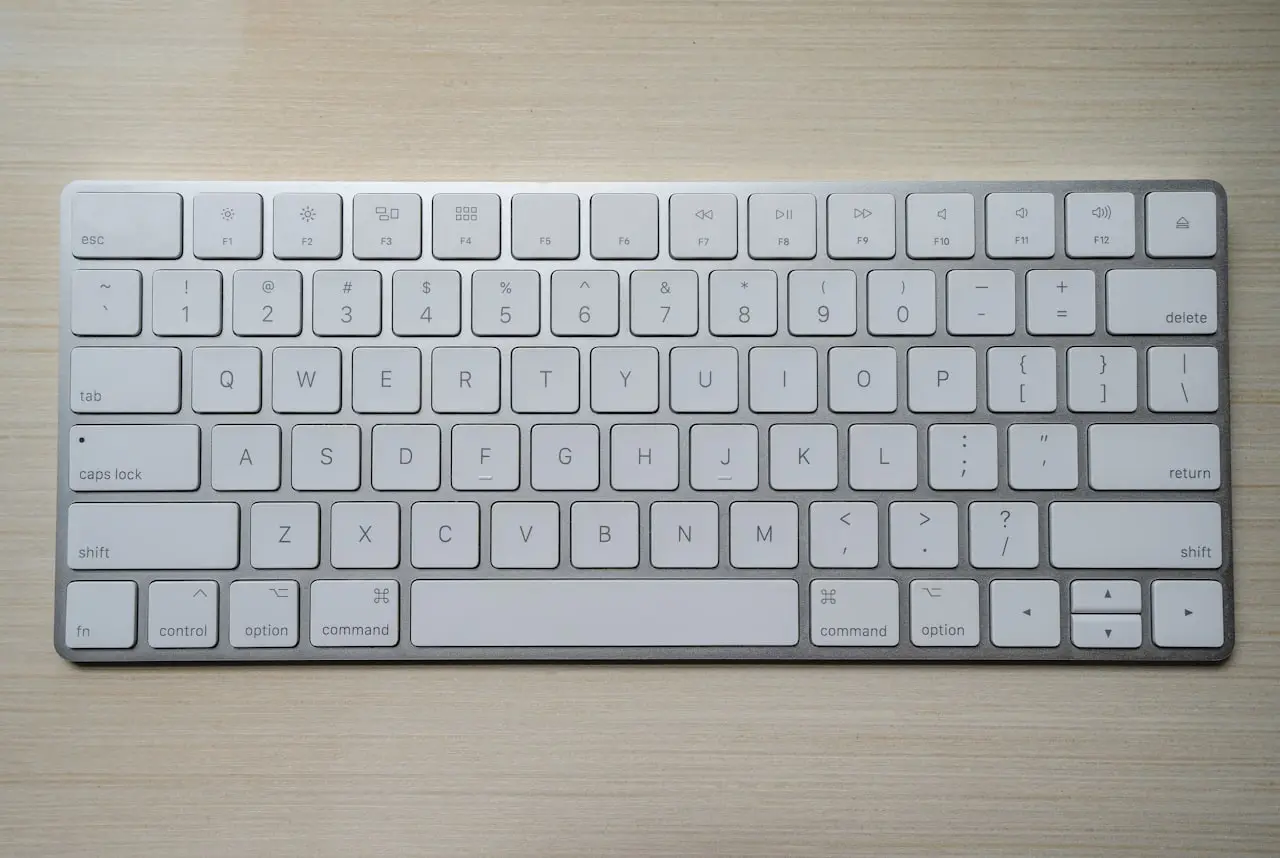
Caps Lock Stuck on Mac? Everything Types in Capitals
MacBook Caps Lock stuck on, the light stays lit, or every letter is a capital — Sticky Keys, Keyboard Viewer, and a failed key switch.
Caps Lock stuck on — LED stays on, or every email is ALL CAPS — is half comedy, half career risk. Fix it in technician order: clear software toggles, prove the key in Keyboard Viewer, clean debris safely, then remap or replace if the switch is dying.
1. Soft reset the Caps Lock state
- Press Caps Lock once, firmly, and wait a second
- Look at the LED (on models that light it) and type in TextEdit
- Restart the Mac if the LED and typing disagree
- Log out and back in if a restart is disruptive mid-work
Why this matters: macOS can desync indicator state after sleep, clamshell use with external keyboards, or accessibility experiments. Hardware cleaning is wasted if the OS was simply confused.
2. Kill accessibility and modifier confusion
Go to System Settings → Accessibility → Keyboard and turn off:
- Sticky Keys
- Slow Keys (temporarily, for testing)
Then open System Settings → Keyboard → Keyboard Shortcuts → Modifier Keys (wording varies slightly by macOS version) and confirm Caps Lock is mapped to Caps Lock, not something odd left from a developer setup.
Also disconnect external keyboards. A stuck Caps Lock on a USB board will keep shouting through your MacBook even when the built-in key is fine.
3. Prove hardware with Keyboard Viewer
- Enable Keyboard Viewer from the Input menu
- Press Caps Lock once
- Watch whether the viewer toggles cleanly
- Compare feel against neighboring keys (A, Tab, Shift)
| Observation | Meaning |
|---|---|
| Viewer toggles; key feels normal | Software / settings — continue section 2 |
| Viewer toggles; key feels mushy or sticky | Debris or failing mechanism |
| Viewer stuck; LED stuck; key won’t spring | Mechanical jam |
| Only ALL CAPS in one app | App or website CSS — not Caps Lock |
If other keys nearby stick, treat this as a keyboard-wide issue: /posts/macbook-stuck-keyboard-key.
4. Clean around Caps Lock without wrecking clips
Caps Lock sits in a high-traffic corner that collects grit from palms and sleeves.
- Shut down the MacBook
- Tilt so debris exits away from the logic board
- Short bursts of compressed air around the key edges
- Dry soft brush only — no soaked cotton buds dripping into the well
- Power on and retest
What NOT to do:
- Do not yank the keycap on butterfly-era machines or modern Magic Keyboard-style decks unless you have the exact guide and accept clip breakage risk
- Do not spray cleaner into the keyboard
- Do not keep toggling a grinding key “to loosen it”
Liquid or sugary history? Jump to /posts/macbook-sticky-keys-after-coffee and /posts/macbook-liquid-damage-what-to-do-first. Sugar will not air out.
5. Remap Caps Lock so you can keep working
If the key chatters or sticks intermittently:
- Open modifier key settings
- Set Caps Lock to No Action or Escape
- Use Shift for capitals until repair
This is a workaround, not a fix — but it prevents accidental password and email disasters. For full keyboard failure, keep a compact external keyboard handy (same advice as /posts/laptop-keyboard-keys-stuck-windows for Windows siblings).
6. Model-era notes
- Butterfly keyboards: Caps Lock failures often travel with other unstable keys; DIY cap removal is high risk
- Scissor / Magic Keyboard-style: more tolerant of careful air cleaning; still fragile if pryed
- Touch ID power button is separate from Caps Lock — do not confuse a stuck power button (/posts/macbook-power-button-stuck) with Caps Lock LED behavior
Apple silicon vs Intel does not change Caps Lock mechanics. Chip era myths will not free a jammed switch.
7. When to stop DIY
Book Apple or an independent shop when:
- Caps Lock stays mechanically down or uneven after cleaning
- The LED stays on with no software explanation after remap-to-off still misbehaves at the hardware level
- Multiple left-edge keys fail (often liquid or drop damage)
- You need reliable password entry and remapping is not enough
Shops usually quote a topcase when Caps Lock hardware is confirmed bad. Ask whether battery replacement is included on that model’s topcase procedure, and get the quote in writing.
Prevention
- Disable accidental Sticky Keys prompts if you never use the feature
- Keep grit out of sleeves and keyboard covers
- Remap Caps Lock to Escape if you hit it constantly by mistake — many technicians do this even on healthy boards
Clear software first, clean second, remap to survive the workday, and replace the topcase only when Keyboard Viewer proves the switch is the culprit. That order saves money and avoids turning a sticky Caps Lock into a broken keycap.
External keyboard Caps Lock confusion
A stuck Caps Lock on a USB board will capitalize everything while the MacBook’s own Caps Lock LED stays off — or the reverse if you watch the wrong indicator. Unplug accessories before you condemn the built-in key.
Terminal and password caution
Developers who live in Terminal can toggle Caps Lock accidentally and break case-sensitive commands. Remapping Caps Lock to Escape or Control is common and reduces the blast radius while a sticky switch awaits service.
LED on, lowercase typing — deeper note
If the LED path and switch path disagree repeatedly after restart, the keyboard membrane/electronics are failing. That is not fixed by NVRAM folklore. Clean around the key with an Ordilend keyboard cleaning kit on Amazon first; book topcase/keyboard service if cleaning failed.
Spill adjacency
Caps Lock sits near the Escape / Touch ID edge on many layouts. Spills aimed at the upper left often take Caps Lock and power button personality together. Check /posts/macbook-power-button-stuck and liquid first aid /posts/macbook-liquid-damage-what-to-do-first.
Windows dual-boot / Boot Camp users
If Caps Lock misbehaves only in Windows on a Boot Camp partition, test in macOS. OS-specific behavior points to software; both OSes pointing at the same sticky feel means hardware. For pure Windows laptops, see /posts/laptop-keyboard-keys-stuck-windows.
When ALL CAPS is actually autocorrect
Some apps and websites force capitalization in fields. Verify in TextEdit. If TextEdit is fine, fix the app — not the topcase.
Frequently Asked Questions
Why does my MacBook type in ALL CAPS?
Caps Lock is on, Sticky Keys is latching Shift, an external keyboard is stuck, or one website is forcing capitals. Check TextEdit first. If TextEdit is also ALL CAPS, it is the key or Accessibility — not Mail.
Caps Lock LED stays on but I am typing lowercase?
Software desync after sleep, or a failing switch/LED. Restart once. If the light and the letters keep disagreeing and the key feels mushy, that is hardware — not NVRAM folklore.
Can macOS sticky keys cause permanent Caps Lock?
Accessibility Sticky Keys can make modifiers behave oddly and confuse people into thinking Caps Lock is jammed. Disable Sticky Keys to test. A physically stuck Caps Lock key is a separate hardware problem.
Can I remap Caps Lock to Escape?
Yes. In Keyboard modifier settings you can remap Caps Lock to Escape, Control, or Off — useful if the key is failing and you want to stop accidental ALL CAPS emails while you arrange repair.
Why is the Caps Lock light on but typing lowercase?
Usually a brief software desync between the LED and the input state, or a failing switch/LED. A restart clears most desyncs; if it recurs with a mushy key feel, lean hardware.
As an Amazon Associate, I earn from qualifying purchases. Affiliate disclosure
Related fixes
MacBook Key Stuck or Not Clicking?
Unstick a MacBook key that sticks, double-types, or feels mushy — debris cleaning, scissor/butterfly vs Magic Keyboard differences, and when a topcase replacement is the real fix.
Read the fixMacBook Sticky Keys After Coffee or Soda?
Sugary drink dried under MacBook keys — why air alone fails, what independent cleaning can save, and when a topcase is cheaper than fighting caramelized switches.
Read the fixHow to Fix a Stuck Keyboard Key on a Laptop
Unstick a jammed or sticky laptop key — crumbs, soda, a repeating letter, and when to replace the keyboard instead of reinstalling Windows.
Read the fix